

Description
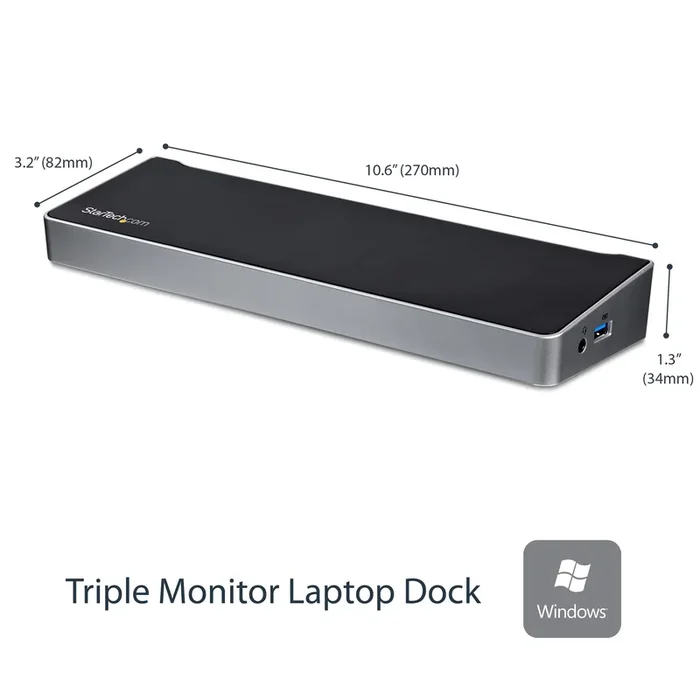
StarTech.com Dual Monitor USB-C Laptop Docking Station – 4K HDMI, DVI via Adapter, 5xUSB 3.0 Ports, 60W PD – USB C Dock for Windows Only (MST30C2HHPD)
StarTech.com Dual Monitor USB C Docking Station with 60W Power Delivery for Windows Laptops – USB C to HDMI or DVI Dock – USB 3.1 Gen 1 Type C Dock w/ Charging – Thunderbolt 3 Compatible. Connectivity technology: Wired, Host interface: USB 3.2 Gen 1 (3.1 Gen 1) Type-C, USB Power Delivery up to: 60 W. Ethernet LAN data rates: 10,100,1000 Mbit/s. Product colour: Black, Silver, Data transfer rate: 5 Gbit/s, Maximum digital resolution: 4096 x 2160 pixels. Power source type: AC, AC input voltage: 100 – 240 V, Input current: 2 A. Windows operating systems supported: Windows 10,Windows 10 Education,Windows 10 Education x64,Windows 10 Enterprise,Windows 10…
Laptop Docking Station | 60W PD | Dual HDMI/DVI | No Display Driver Setup
Enhance your productivity by turning your Windows USB-C laptop into a full-scale workstation. This dual-monitor USB-C dock lets you easily connect two HDMI monitors or DVI monitors (with included adapters) using one USB-C cable, with no setup of display drivers required right out of the box. TheUSB-C dock provides 60W charging power, and five USB 3.0 ports to connect devices. With easy dual-monitor setup, the dock is ideal for wide-scale use in office workstations.
Create a Dual-Monitor Workstation
The USB-C dock lets you connect dual monitors with flexible options. Connect to:
2x HDMI or 2x DVI displays at 1920 x 1200p3-year warranty and free lifetime technical support.
Notes:
Ensure your laptop’s drivers, firmware, and operating system are current prior to using the docking station.
Video output capabilities depend on the video card and hardware specifications of the connected laptop.
Not all USB-C ports support the full functionality of the USB Type-C standard. Ensure that your laptop’s USB-C port supports DP Alt Mode and USB Power Delivery for the full functionality of the USB Type-C standard.
Not all Thunderbolt 3 USB-C ports support the full functionality of the Thunderbolt 3 standard. Ensure that your laptop Thunderbolt 3 port supports USB Power Delivery.
The StarTech.com Advantage
– Easily connect dual monitors (HDMI or DVI) right out of the box, with no display drivers to set up
– Connect your USB devices with 5x USB 3.0 ports – 1x USB-C and 4x USB-A (including 1x Fast-Charge)
– Power and charge your laptop with Power Delivery 2.0 (up to 60W)

Reviews
There are no reviews yet.